
related blog

12
How Photo Documentation Fits Into Project Management
Explore how photo documentation enhances project management by improving accountability, reducing legal risks, and facilitating real-time communication.

Photo documentation is changing how projects are managed. It provides a clear visual record of progress, improves communication, and reduces risks. Whether you're managing construction, contracting, or field services, photos offer a reliable way to track work, resolve disputes, and keep everyone informed.
Here’s why it works:
- Accountability: Timestamped and GPS-tagged photos show who did what and when.
- Legal Protection: Visual evidence helps resolve disputes and supports insurance claims.
- Real-Time Updates: Teams and clients stay informed without waiting for lengthy reports.
- Efficiency: Organized photo systems save time and improve decision-making.
Modern tools like RelayCam make this process easier by following jobsite photo documentation best practices by linking photos to tasks, storing them securely in the cloud, and enabling real-time collaboration. This approach ensures better project oversight, fewer delays, and stronger client trust.
How Lean Project Teams are Using 360° Photo Documentation to Reduce Waste and Improve Communication
Why Photo Documentation Matters for Project Success
Photo documentation isn’t just about snapping pictures - it’s a powerful tool that enhances accountability, provides legal protection, and improves real-time communication. When used effectively, it transforms project management into a more transparent and efficient process.
Building Accountability and Transparency
Photos have a way of keeping everyone honest. By creating a clear visual record of progress, they encourage teams to stay focused on delivering quality work. This isn’t about micromanaging - it’s about establishing a system that highlights and celebrates good craftsmanship.
With timestamped and GPS-tagged images, project managers can see exactly who did what and when. This level of detail helps identify top performers and areas where additional training might be needed. Recognizing employees for their contributions fosters a stronger, more motivated team.
Clients also appreciate the transparency. Regular photo updates showcasing progress, materials used, and attention to detail build trust. Many contractors find that these updates reduce the need for frequent client site visits and help avoid misunderstandings about the project’s scope.
The benefits extend to subcontractors and vendors, too. When everyone knows their work is being documented, the overall quality improves. For example, photographing material deliveries ensures accountability for what arrives on-site, while capturing key stages of installation helps flag issues early. This proactive approach lays the groundwork for stronger legal protection. Following best practices for construction photo documentation ensures these records are consistent and reliable, following construction photo documentation standards.
Reducing Legal Risks and Liability Protection
Photo documentation isn’t just a management tool - it’s also a shield against legal liability risks. Geo-tagged, timestamped images serve as objective evidence in disputes, insurance claims, and warranty issues. They provide a clear picture of site conditions, work quality, and timelines, which can protect your business from costly legal challenges.
For instance, pre-construction photos can prove that existing damage wasn’t caused by your team. Similarly, progress photos showing proper installation and code compliance can counter claims of faulty workmanship. Even weather-related delays become easier to justify when backed by visual evidence.
Insurance providers are increasingly relying on photos to evaluate claims. Detailed images of safety measures, equipment conditions, and work environments can influence claim outcomes. Some insurers even offer lower premiums to contractors who maintain thorough photo records.
Visual documentation also simplifies managing change orders and scope modifications. When clients request additional work, photos of existing conditions can justify the need for changes and prevent disputes about whether the extra work was necessary. This clarity goes a long way in avoiding conflicts over costs.
Improving Real-Time Communication and Progress Tracking
Photo documentation doesn’t just look back - it also keeps everyone on the same page in real time. By sharing visual updates, teams can avoid the delays that often come with waiting for weekly meetings or lengthy written reports. Photos provide immediate clarity, helping stakeholders quickly grasp the project’s status and address emerging issues.
Remote team members and supervisors benefit from this instant feedback loop. Real-time photo sharing allows them to stay informed without being physically present, speeding up decision-making and problem resolution.
Clients, too, find photo updates invaluable. Instead of trying to decipher technical explanations over phone calls or emails, they can see for themselves how the project is unfolding. This visibility reassures them that everything is on track and progressing as planned.
Daily photo updates also improve scheduling. Project managers can assess the actual pace of work and make better decisions about resource allocation, material deliveries, and crew coordination. This leads to fewer delays and more accurate timelines for project completion.
For teams managing multiple job sites, shared visual records make coordination much easier. Supervisors can quickly identify which sites need extra attention or resources without visiting each location. This streamlined approach boosts productivity and ensures resources are used where they’re needed most.
How to Add Photo Documentation to Your Workflow
Incorporating photo documentation into your project management workflow doesn’t have to disrupt your existing processes. With a well-thought-out approach, you can integrate visual records seamlessly, keeping your operations efficient and consistent.
Creating Standard Photo Documentation Practices
Start by setting clear protocols for capturing key project moments - everything from kickoff and major milestones to quality checks and project completion. Create a photo schedule that aligns with project phases, such as capturing images at the start of each workday, before and after major installations, or during significant weather events.
Define what makes a project photo effective. Your team should know that good documentation includes wide shots to show overall progress, close-ups to highlight specific details, and context shots to capture the surrounding environment. Each photo should provide a clear snapshot of the work being done and the conditions at that point in time.
Set minimum photo requirements based on the type of work. For example, plumbing projects might need photos of the initial conditions, materials used, work in progress, and the final result. For an HVAC service call, you might document equipment conditions, diagnostic readings, and completed repairs.
Training your team on these standards ensures consistency across all projects. When everyone follows the same guidelines, you’ll compile a thorough visual record that supports both project management and business protection. Once these practices are in place, the next step is organizing your jobsite photos effectively using metadata.
Organizing Photos with Metadata and Tags
Photos lose much of their value without proper context. By organizing them with metadata and tags, you can turn your photo collection into a searchable database that supports your long-term operations.
Start with GPS coordinates and timestamps - these basics provide a clear record of when and where each photo was taken. Combine this with project-specific details to create a comprehensive visual history.
Set up a tagging system that matches your project structure. Tags could include project phases (e.g., prep, installation, completion), work types (e.g., electrical, plumbing, framing), quality status (e.g., approved, needs attention, rework required), and team members involved. This system allows you to find specific images quickly, even years later.
Your folder structure should mirror how you organize your projects. For instance, if you sort projects by client name and job number, your photo folders should follow the same pattern. This consistency makes it easier for team members to locate and contribute photos without confusion.
Use descriptive filenames to add another layer of organization. Instead of generic names like "IMG_001.jpg", opt for something like "LivingRoom_Wiring_Inspection_Day3.jpg." These filenames make it easier to identify photos at a glance.
Schedule regular photo review and cleanup sessions to keep things organized. Weekly or monthly, check that all photos are properly tagged, archive outdated ones, and ensure important documentation is readily available. Once your photo library is well-organized, you can link images to specific tasks and deliverables to enhance accountability.
Connecting Photos to Project Tasks and Deliverables
Linking photos directly to project tasks turns them into powerful project management tools, rather than just static records.
Include photo requirements in task checklists. For example, require photos that confirm installations are accurate or meet quality standards. A roofing checklist might include items like "Photo of existing roof condition", "Photo of materials delivery", and "Photo of completed installation with close-ups of flashing."
Use milestone documentation to capture comprehensive updates at key project stages. At each milestone, take photos that show overall progress, the quality of completed work, and readiness for the next phase. These images are invaluable for scheduling, billing, and communicating with clients.
Require deliverable verification photos to confirm tasks are complete. For example, before marking a task as done, ensure photos verify the work meets quality standards. These images can help resolve disputes, support warranty claims, and improve customer satisfaction by offering clear evidence of completed work.
Finally, use photos to analyze progress correlation. When images are tied to specific tasks and timelines, they can reveal patterns, such as which tasks take longer than expected, where quality issues arise, or how different crews perform on similar jobs. This connection between photos and project tasks not only verifies work but also helps refine planning for future projects.
sbb-itb-69746f9
Using RelayCam for Efficient Photo Documentation
RelayCam simplifies photo documentation by seamlessly integrating with your project management workflow. It ensures precise visual records while aligning with your existing processes. Here's how RelayCam enhances photo documentation in project management.
Key Features Supporting Project Management
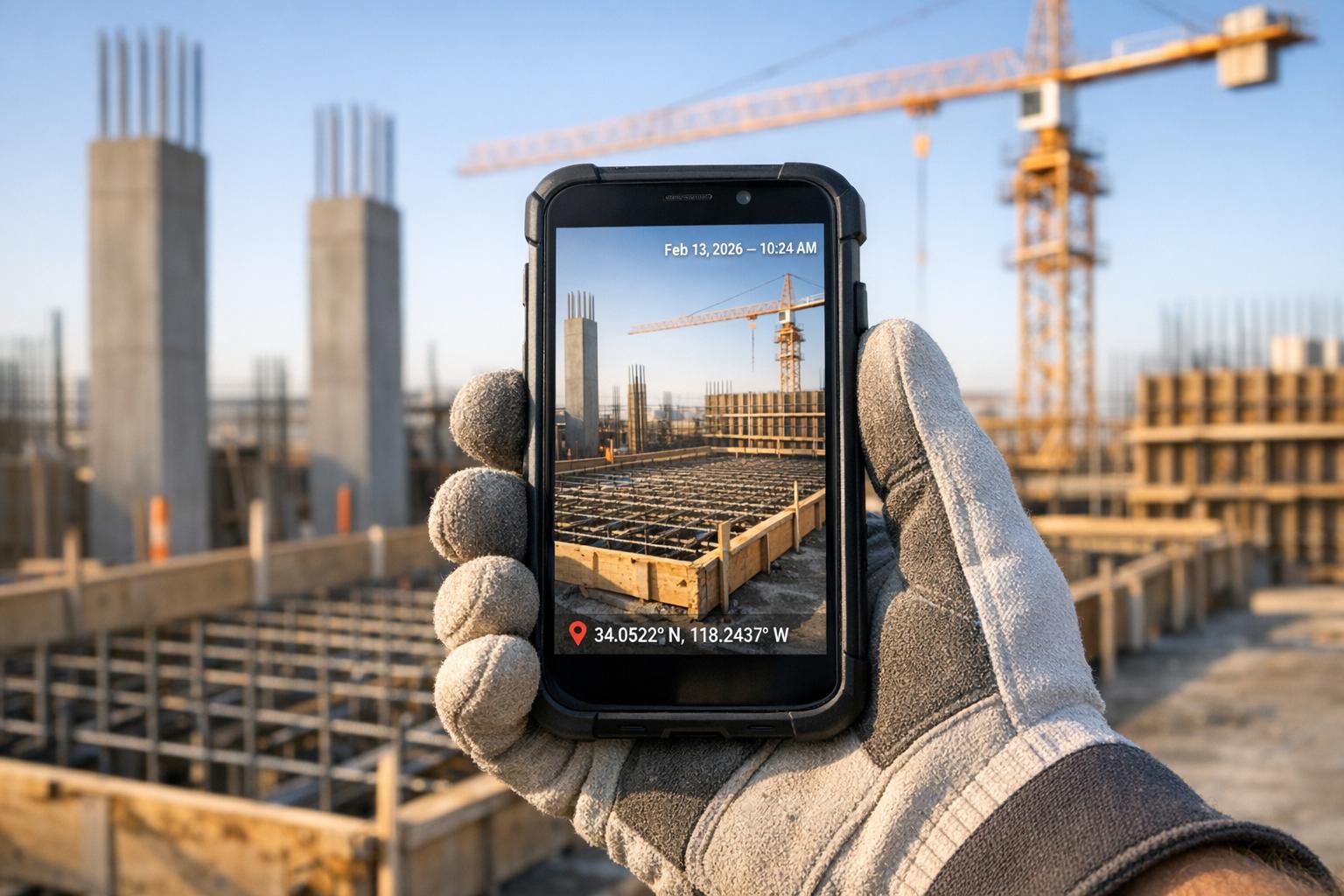
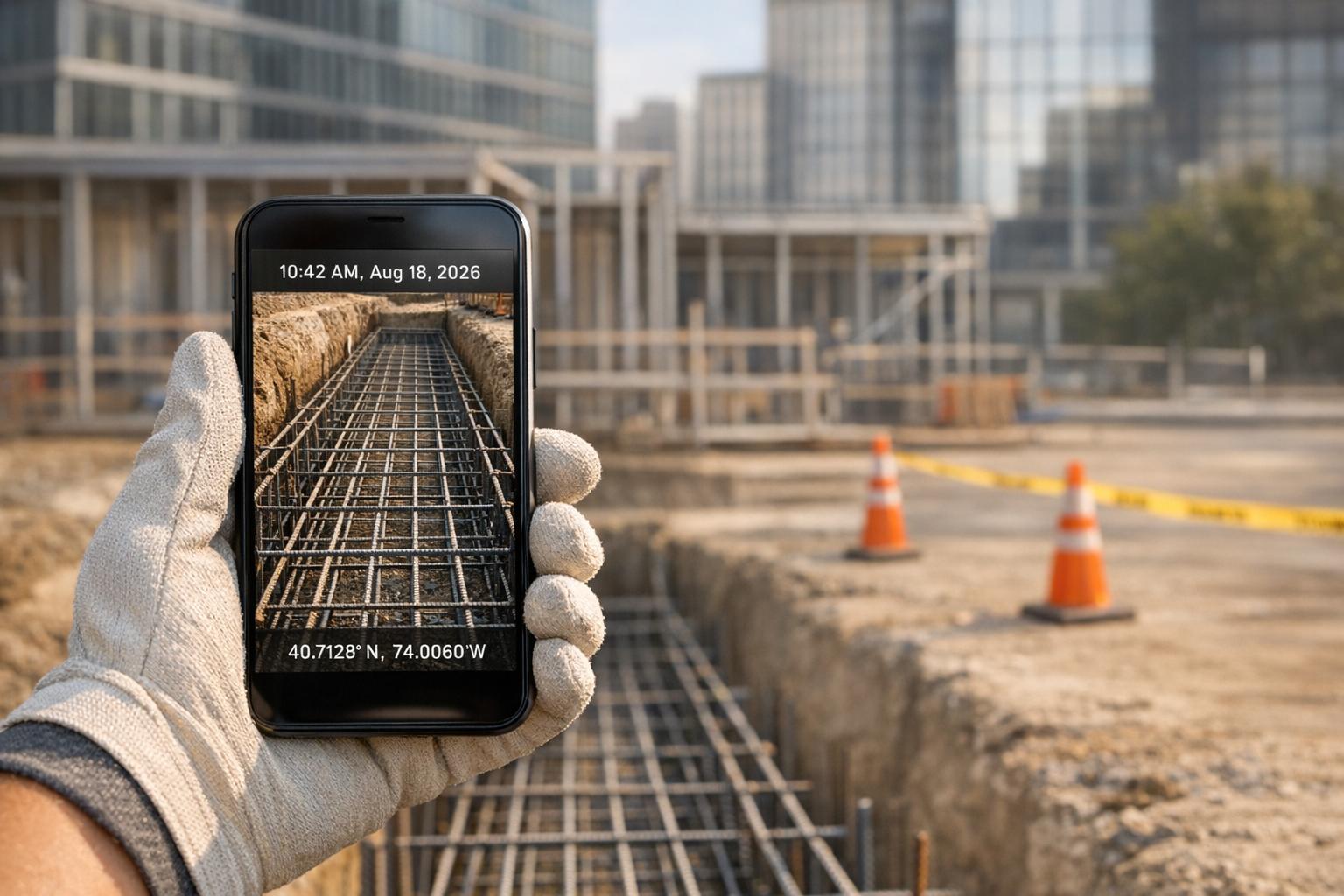
RelayCam's GPS and time-stamped photos automatically capture exact locations and times, removing any uncertainty about job sites or subcontractor activities.
With cloud vs local storage options, photos are uploaded instantly, creating a permanent and easily accessible archive. This is particularly useful for tracking progress over extended periods.
Real-time project feeds keep the entire team informed as work advances. Managers can monitor quality and ensure standards are met without delay.
The built-in timeline feature, powered by automatic timestamps, tracks changes at specific locations over time. You can filter photos by location or timestamp to quickly find the evidence you need, making documentation both efficient and searchable.
Improving Collaboration and Task Management
RelayCam’s collaboration tools make it easy for every team member to contribute to documentation. Features like on-photo annotations, integrated checklists, and sharable galleries simplify communication and task tracking.
- On-photo annotations allow team members to mark up images with drawings, text, or notes, making it clear where issues are and ensuring they’re resolved quickly.
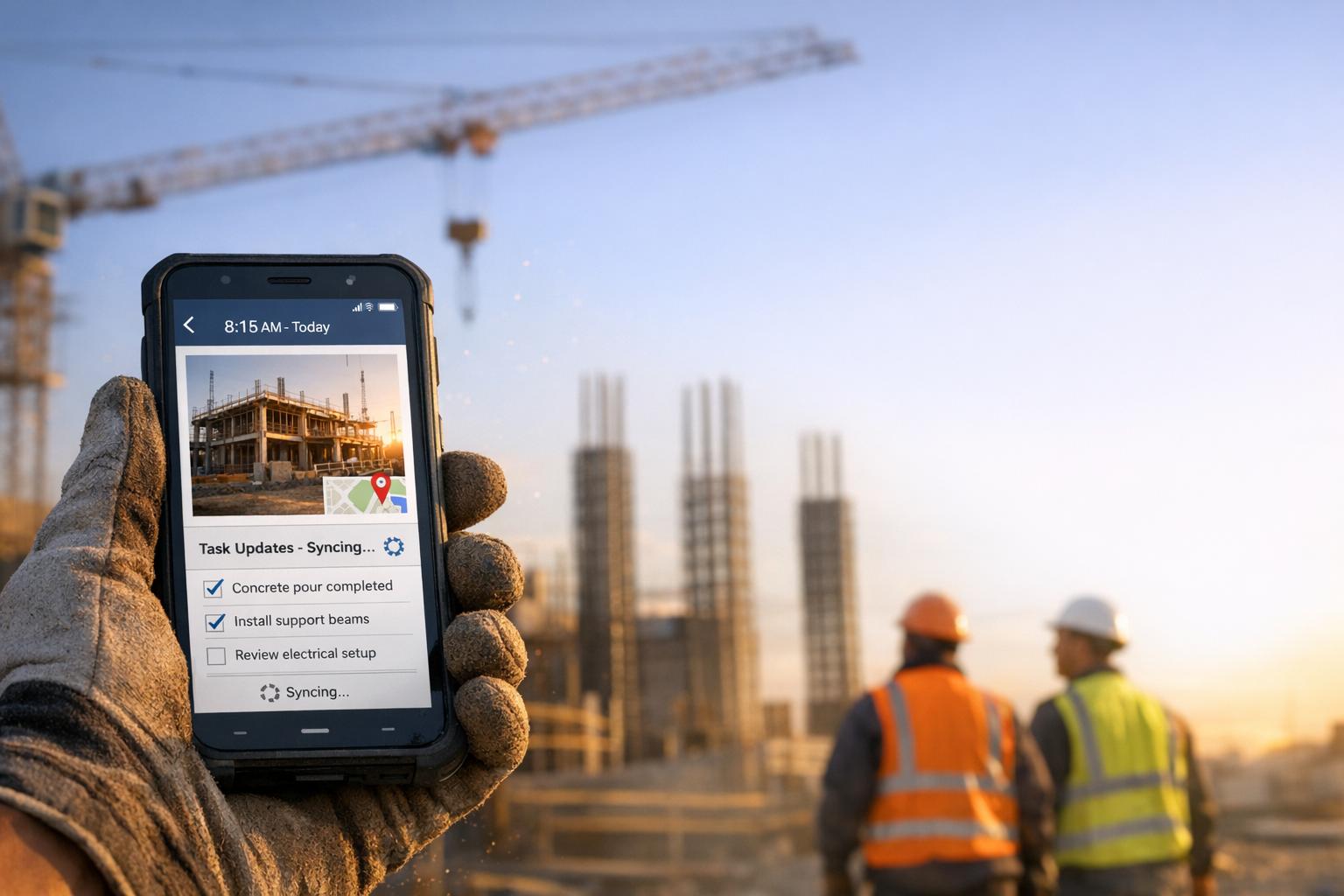
- Project-based checklists tie directly to photo documentation. For instance, a checklist might require photos of an installation before, during, and after completion, ensuring every stage is accounted for.
- Sharable photo galleries let you select and share relevant images with clients or stakeholders via a simple link. This builds trust by providing clear and transparent updates.
Additionally, guest collaborator invitations let clients, inspectors, or consultants view progress and even contribute photos when necessary, streamlining communication and approval processes.
Offline and Remote Capabilities
RelayCam’s offline mode ensures you can capture GPS and time-stamped photos even without internet access. These photos automatically upload once connectivity is restored, making it ideal for remote worksites with limited or no internet.
For project managers, the desktop login feature offers flexibility. You can review photos, organize projects, and manage team access from the comfort of your office, then switch seamlessly to mobile when on site. The HD photo capture guarantees clear and detailed images, which are invaluable for quality control and resolving disputes.
Best Practices for Effective Photo Documentation
To get the most out of photo documentation, it's crucial to follow strategies that make your images reliable, well-organized, and legally sound. Did you know construction teams lose an average of 9.1 hours per week searching for scattered project photos? A smart documentation system can cut this time by 82%. Here's how to create a system that works.
Taking Complete and High-Quality Images
Start by capturing both wide-angle shots and close-ups at key stages of your project. Wide-angle photos provide context, showing the overall site conditions, while close-ups focus on specific details like installations or potential problem areas. Using HD cameras ensures your images are sharp and credible for long-term use.
Pay attention to lighting and angles - poor lighting can hide important details, and inconsistent angles make it harder to track progress over time. Take multiple shots from different perspectives to ensure nothing is missed. Also, document every major phase - before, during, and after work is completed. This creates a visual timeline that's especially helpful for resolving disputes or proving compliance with safety and building standards.
By maintaining high-quality image capture, you lay the groundwork for effective documentation practices.
Setting Up Consistent Documentation Routines
Establishing a routine for photo documentation at key milestones and regular intervals ensures a reliable visual record. Create fixed schedules and assign clear responsibilities for photo capture to keep everyone on track.
Effective documentation can reduce delays by 31% and cut administrative costs by 40% by identifying issues early. Tools like RelayCam’s project-based checklists can help ensure no critical phase is overlooked. For instance, a checklist might prompt team members to take photos before, during, and after an installation.
Regular documentation also speeds up milestone confirmations, leading to quicker billing cycles and better cash flow. Training your team on what to photograph and when to do it ensures consistency and prevents gaps in the record. A well-trained team helps maintain high standards and keeps progress tracking seamless.
Protecting Data with Cloud-Based Storage
Once you’ve established quality photo capture and routines, secure storage becomes the next priority. Cloud-based platforms like RelayCam offer centralized, secure storage to protect your photo records from loss, damage, or unauthorized access. Unlimited cloud storage eliminates the worry of running out of space, while instant uploads create a permanent archive for remote collaboration and long-term recordkeeping - critical for audits, legal claims, and historical reference.
Using metadata, tags, and standardized filenames makes retrieval fast and easy. For example, including the project name, date, and subject in photo titles can speed up photo searches by 93%. Many modern platforms, like RelayCam, automate this process, saving time and reducing manual effort.
Time-stamped and geo-tagged photos provide a reliable audit trail, which is invaluable for resolving disputes or verifying project progress. In fact, 92% of construction firms report faster dispute resolution after adopting systematic photo documentation. With organized storage, automated metadata, and secure cloud access, you'll have the evidence you need, exactly when you need it.
Conclusion: Improving Project Management with Photo Documentation
Photo documentation takes project management to the next level, shifting teams from simply reacting to issues to actively preventing them. The impact is clear: teams using structured photo documentation experience 31% fewer project delays, 40% lower administrative costs, and resolve disputes 92% faster. These improvements save both time and money - two critical resources in any project.
The secret to achieving these results lies in adopting a centralized system for capturing, organizing, and sharing photos effortlessly. Such a system can cut down search time by an impressive 82%, allowing project managers to stay focused on delivering quality work on schedule and within budget.
RelayCam addresses the common pain points of documentation by combining automation with collaboration. It ensures reliable records, real-time progress updates, and even works offline so field teams can document from any location. Plus, with unlimited cloud storage, your project records are safe from loss or damage.
But the benefits don’t stop at better organization. Teams that fully embrace photo documentation report spending 60% less time on stakeholder communication and encountering 85% fewer documentation disputes.
In action, these advantages reshape how projects are managed. For professionals aiming to stay competitive, photo documentation isn’t just a tool - it’s a game-changer. The blend of increased efficiency, reduced risks, and stronger client relationships makes visual documentation an indispensable part of modern project management.
FAQs
How does photo documentation enhance accountability and transparency in project management?
Photo documentation enhances accountability and clarity by offering precise visual records of job progress and site conditions through geo-tagged, time-stamped photos. These visuals serve as dependable evidence to monitor work, confirm tasks, and resolve any inconsistencies.
Additionally, it strengthens team communication with features like on-photo annotations and comments, which help clarify details and minimize confusion. Real-time updates and shareable photo galleries ensure all stakeholders stay informed, building trust and keeping everyone on the same page regarding project objectives.
How can photo documentation be effectively integrated into project workflows?
To make photo documentation an effective part of your project workflows, start by establishing clear standards for photo quality, timing, and content. This ensures your team maintains consistency and accuracy. Tools like RelayCam can simplify the process by capturing GPS and time-stamped photos, which are automatically organized by project. This creates a reliable visual record for tracking progress and maintaining accountability.
Integrating photo documentation into daily tasks - like attaching images to milestones, checklists, or tasks - can help streamline processes and enhance team communication. Features such as real-time updates, on-photo annotations, and sharable galleries ensure everyone stays on the same page and can address issues promptly. Plus, consistent digital storage makes accessing visual records easy, which is especially useful for managing projects and resolving potential disputes.
How can photo documentation help reduce legal risks and resolve disputes more effectively?
Photo documentation is an essential tool for managing legal risks and settling disputes. By offering clear, timestamped, and geo-tagged visual evidence of jobsite conditions and project progress, it provides solid proof to confirm adherence to contracts, safety regulations, and project scopes. This helps eliminate confusion and reduces the chances of false claims.
Keeping a detailed visual record allows teams to handle disagreements swiftly and assertively, cutting down on delays and steering clear of expensive legal conflicts. This method promotes accountability and streamlines communication when resolving disputes.
Related Blog Posts
See RelayCam in action
Start your free trial now by clicking the button below


Wanna chat or demo?
Questions? Concerns? Requests? Talk to a real human

Watch a RelayCam demo now
Short on time, busy, got jobs to do? See how RelayCam works now!