
related blog

RelayCam News
6 Min Read
RelayCam MCP connector: your job site, ready for AI agents
RelayCam now connects to Claude, ChatGPT, Grok and other AI agents over MCP. Have them draft daily client updates, insurance supplements and more from your real job site record.
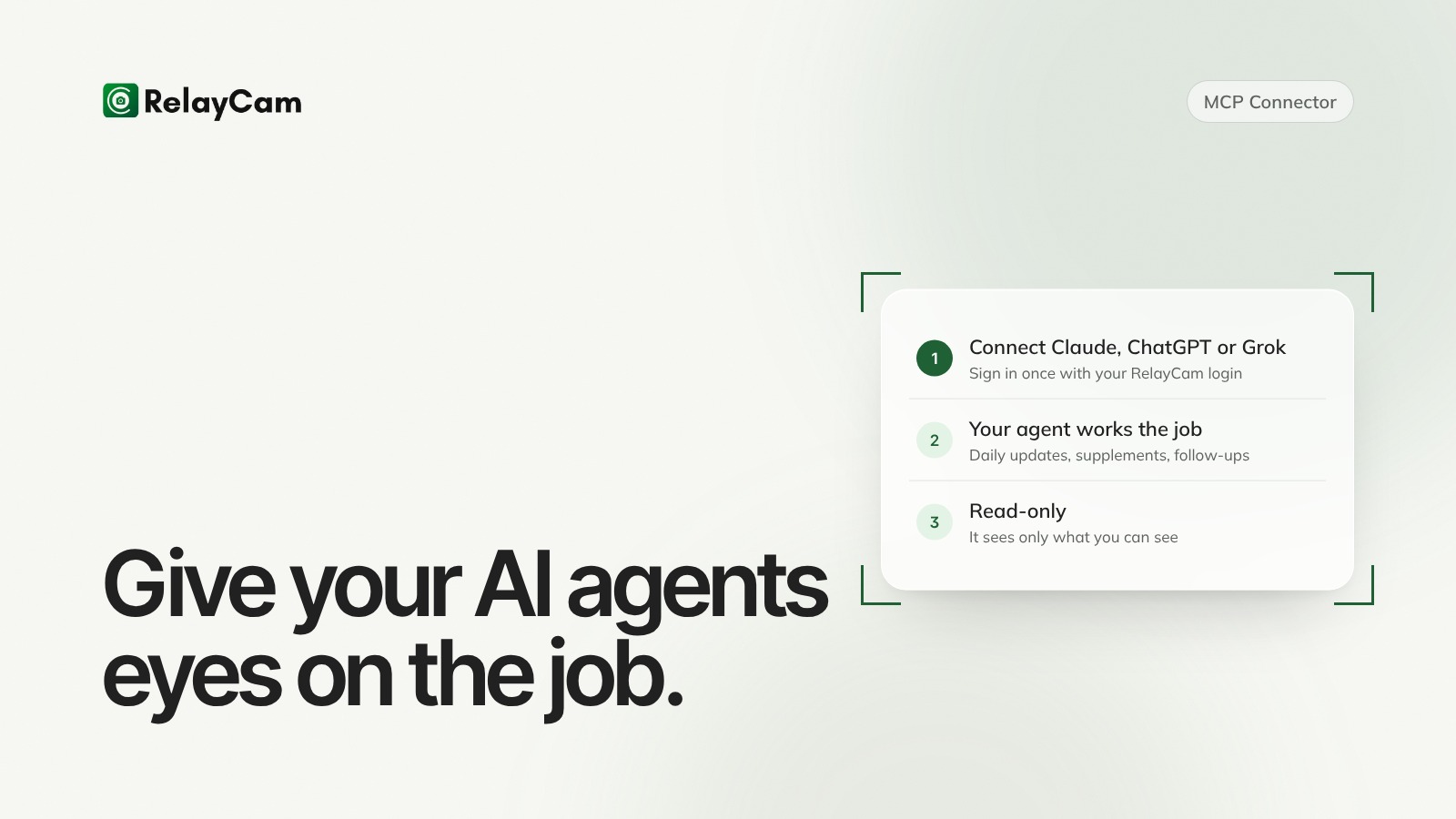
RelayCam now lets you take your job site information into the AI you already use. With the new RelayCam MCP connector, your projects, photos and notes are available in Claude, ChatGPT, Grok and other AI apps, so contractors and their agents can work straight from what actually happened on the job.
That's how we build RelayCam: agent-first. Your crews capture the work in the field, and the record is ready for the people and the AI agents who put it to work.
The short version:
- Have your agent draft client updates, insurance supplements and job briefs from your real photos and notes.
- Your crews keep capturing the job the way they do now. Nothing changes in the field.
- It's read-only and uses each person's own RelayCam permissions, so an agent sees only what that person can see.
Agents are only as good as what they can see
Ask a general AI assistant how the Oak Street job is going and it has nothing to go on. Paste in a few photos and notes and it does better, but now someone is copying information between apps by hand, which is the job the agent was supposed to take off your plate.
In roofing and the trades, the information that matters most is captured in the field: the flashing before the shingles went on, the moisture reading in the back bedroom, the crew lead's note about the soft decking. That record lives in RelayCam. Connecting it is what turns a general assistant into one that knows your jobs.
RelayCam already does the paperwork
This isn't RelayCam's first step into AI agents. Inside the app, they already handle the paperwork that used to eat the end of the day:
- AI Walk & Talk turns a walkthrough, where you talk while you shoot, into a shareable report.
- AI Daily Logs and Project Updates draft themselves from the day's photos.
- Talk to Checklist turns the steps you say out loud into a checklist.
Put your agents to work on the job
Once RelayCam is connected, ask questions or hand your agent whole tasks that start from your job site record. A few worth setting up first:
Client updates that write themselves every evening
Ask your agent: "Every day at 6 p.m., pull today's photos and notes for each active job and draft a short update for the homeowner." If your assistant runs scheduled tasks, you set it up once and the drafts are waiting each evening. You read them, tweak a line and send.
Insurance supplements from the photos you already took
Point your agent at a job and ask it to draft a supplement from the damage photos, the crew's captions and notes, and the time and location stamped on every photo. It lays out what was found and links each item to the photo that shows it. You check it and send it to the adjuster.
A weekly check for missing photos
"Which projects had no photos uploaded in the last 7 days? Draft a reminder to each crew lead."
A quick brief before every call
"Before my 2 o'clock with the Millers, give me a quick read on their job: what got done this week, what's still open, and the photos that show it."
In every case the agent reads from RelayCam and links back to the photos, so you can check the source. The drafting happens in your assistant, and nothing goes out until you review it.
The next step for job site documentation
For years, job site documentation meant one thing: take the photo so you have proof later. That still matters. But the record your crews build every day shows much more: what got done, what's still open, what changed and who needs to know.
RelayCam is on the frontier of what comes next: documentation that turns into intelligence, and intelligence that agents can act on. RelayCam is the intelligence layer for the job site, built agent-first. Crews capture the work one-handed, RelayCam turns it into an organized record, and agents, ours and yours, put it to work. The MCP connector is a big step in that direction, and it won't be the last.
Safe by design
- Read-only. Agents can read projects, photos and notes. They can't upload, edit or delete anything in RelayCam.
- Each person's own permissions. Everyone connects with their own RelayCam login. A crew member's agent sees only the projects that crew member can see in the app.
- No passwords or keys to paste. You sign in to RelayCam and tap Allow, the same way you'd sign in to any app.
- Your company stays in control. A company admin decides whether AI Assistants are allowed for the whole company, and any connection can be disconnected.
How to connect it
Setup takes about a minute, and you only do it once.
- In the RelayCam app, open your profile, then AI Assistants (MCP).
- Tap Connect next to Claude, ChatGPT or Grok. Or tap Copy to grab the RelayCam address: https://backend.relaycam.com/mcp
- In your AI app, add RelayCam as a connector. In Claude, that's Settings, then Connectors, then Add custom connector, and paste the address.
- Sign in with your RelayCam login, pick your company and tap Allow.
That's it. Start a new chat and ask about a job. Your connected apps show up under Your Connections on the same screen. ChatGPT connectors need a paid ChatGPT plan. For any other AI app that supports MCP connectors, tap How To for the steps.
Want every step for each AI app? See our help article, Connect RelayCam to Claude, ChatGPT or Grok with the MCP connector.
What's MCP?
MCP stands for Model Context Protocol. It's an open standard that lets AI agents connect to the apps a business already uses, so they work from real information instead of guessing. You don't need to know how it works to use it.
Frequently asked questions
Can an agent change or delete my photos?
No. The connection is read-only. It can look at projects, photos and notes, and nothing else.
Will it show someone jobs they can't normally see?
No. Each person signs in with their own RelayCam login, and their agent sees only what that person can see in the app.
Which AI apps does it work with?
Claude, ChatGPT and Grok, plus any other AI app that supports MCP connectors. In ChatGPT, connectors need a paid plan.
How do I turn it off?
Disconnect RelayCam in your AI app's connector settings at any time. Company admins can also turn AI Assistants off for the whole company in RelayCam.
Want to try it? Connect RelayCam to your AI and ask about your busiest job. If you'd like a hand setting it up, book a quick call and we'll do it together.


See RelayCam in action
Start your free trial now by clicking the button below


Wanna chat or demo?
Questions? Concerns? Requests? Talk to a real human

Watch a RelayCam demo now
Short on time, busy, got jobs to do? See how RelayCam works now!