
related blog

10
Ultimate Guide to Cross-Platform Photo Management
Streamline jobsite photo management across devices with effective tools that enhance organization, collaboration, and data security.

Managing jobsite photos across devices can be challenging, but a cross-platform system simplifies the process. It ensures photos are organized, synced, and accessible, whether you're on a phone, tablet, or desktop. This guide explains how tools like RelayCam solve common issues like scattered files, inconsistent timestamps, and delayed uploads while improving collaboration and documentation.
Key Takeaways:
- Organized Workflow: Centralize photos with project-based folders, automatic tagging, and checklists.
- Real-Time Sync: Cloud storage keeps teams updated and eliminates manual uploads.
- Accurate Metadata: Automatic GPS and timestamps ensure precise photo records.
- Team Collaboration: Tools like annotations, comments, and permissions streamline communication.
- Offline Functionality: Capture and organize photos even in remote areas without internet.
RelayCam offers a subscription-based solution tailored for construction and service professionals, starting at $39/month. It combines unlimited cloud storage, real-time updates, and user-friendly features to make photo management efficient and stress-free.
Key Features of Cross-Platform Photo Management Tools
When selecting a photo management system for construction and service work, the right features can mean the difference between smooth workflows and constant headaches. These tools are designed to eliminate scattered files and ensure documentation stays consistent.
Device and Operating System Compatibility
A truly cross-platform system works effortlessly, whether your team is using iPhones, Android devices, Windows laptops, or Mac computers. This flexibility ensures smooth operations across different devices and operating systems, no matter your team’s tech preferences.
The best tools provide a consistent experience across platforms. Features like photo capture, annotation tools, and file organization should function the same on a smartphone app as they do on a desktop browser. This uniformity minimizes training time and avoids confusion when team members switch devices during their day.
Native apps are particularly valuable - they load faster, handle large files more efficiently, and integrate directly with device cameras and GPS for a smoother user experience.
Cloud Storage and Backup
Unlimited cloud storage paired with automatic syncing ensures real-time access and secure backups without requiring manual effort. This means office teams can immediately review jobsite updates, while field supervisors can instantly access photos taken by other team members.
Secure backup systems protect your data from risks like device damage, theft, or technical glitches. Professional-grade encryption safeguards sensitive project details during both transmission and storage. The best systems also maintain multiple backup copies and offer straightforward recovery options if something goes wrong.
Time, Date, and GPS Stamping
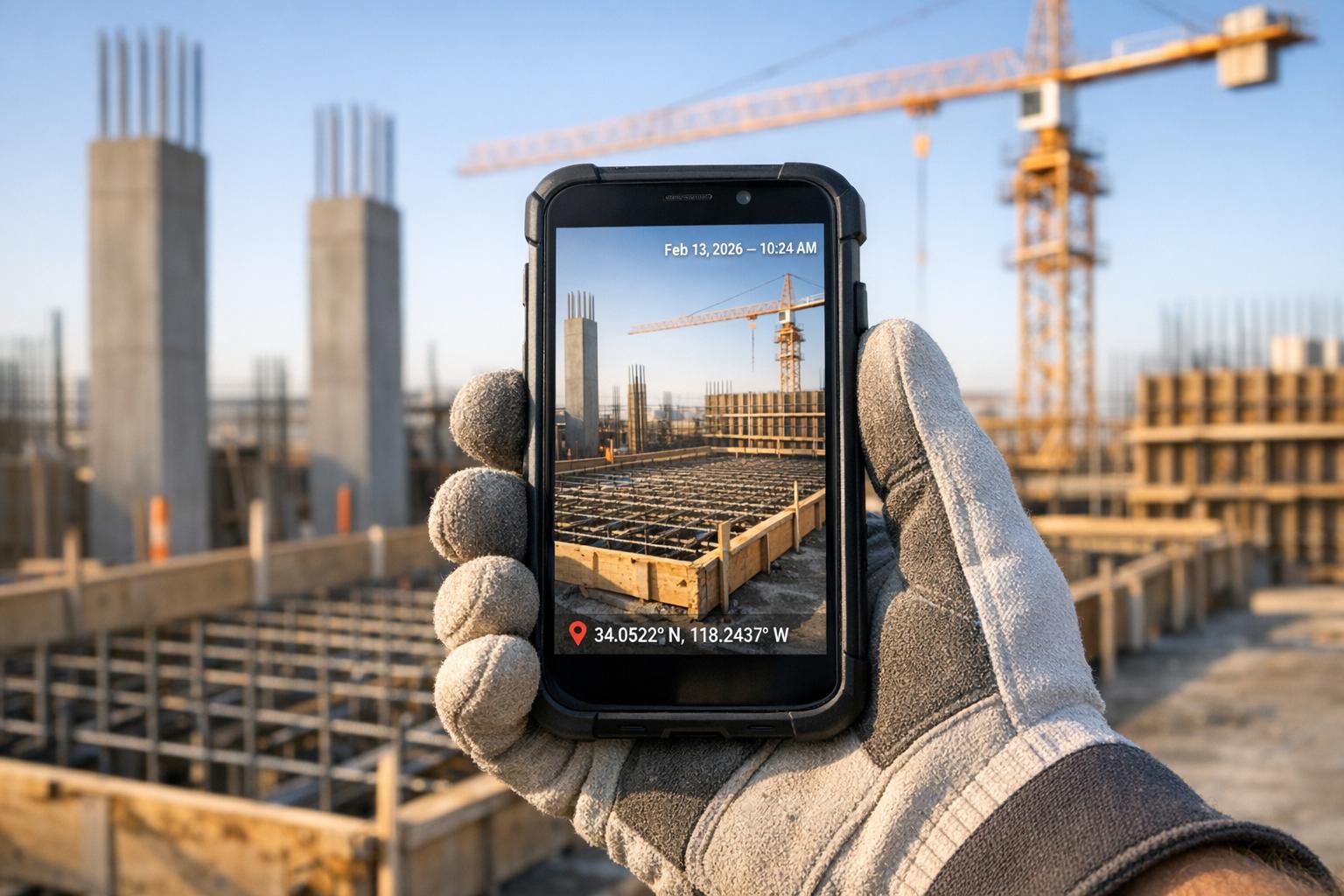
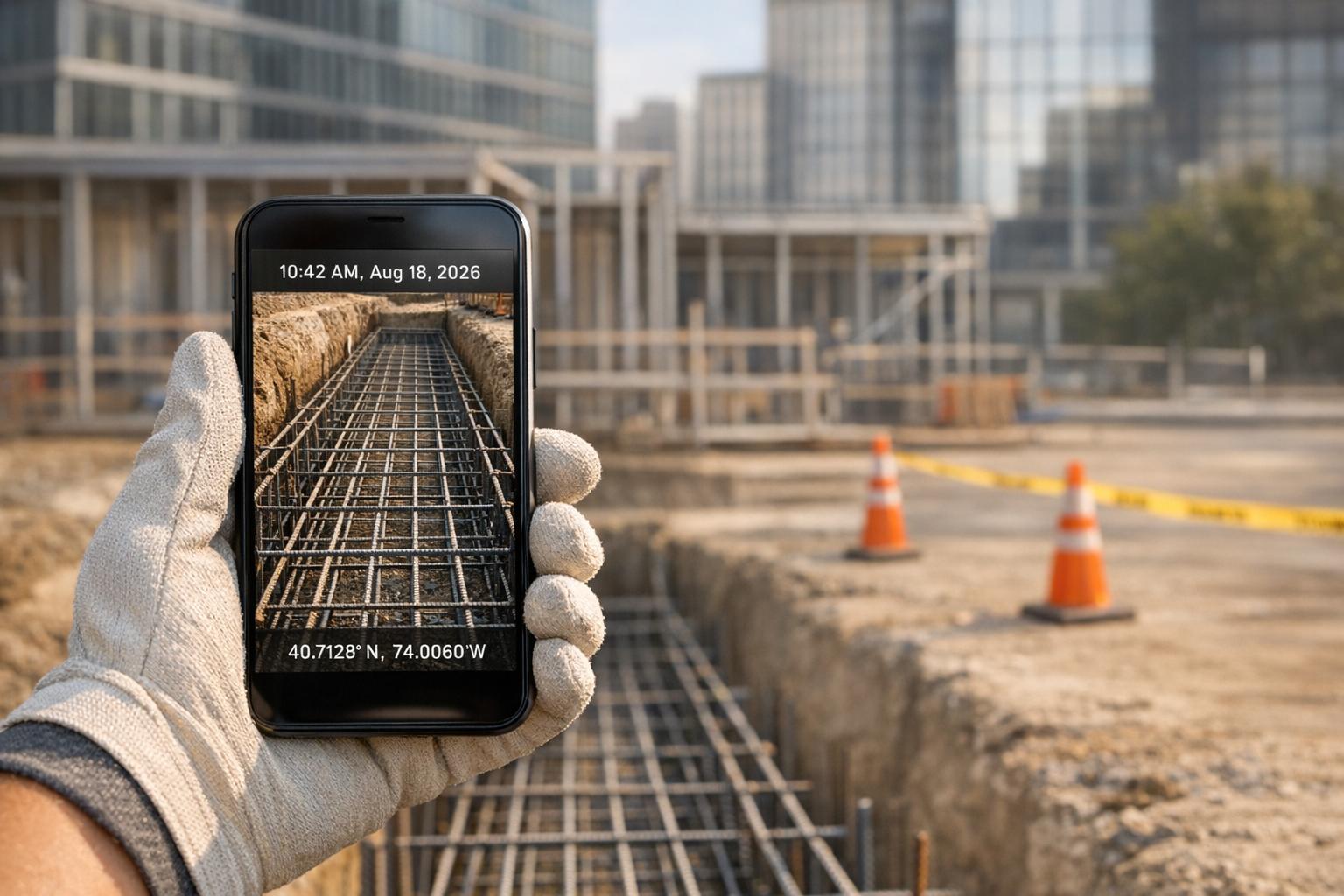
Accurate GPS coordinates and automatic timestamps create a detailed, chronological record for every photo. GPS tagging confirms exactly where photos were taken, which is especially useful for warranty claims, insurance issues, or meeting regulatory requirements. This location data also allows for automatic organization by jobsite or project area.
The system should automatically adjust timestamps for time zones and daylight savings. Consistent metadata across all devices helps prevent confusion, especially when photos from different team members are involved. A good system ensures this information is standardized, regardless of individual device settings.
Team Collaboration and Permissions
Multi-user access with role-based permission controls lets teams collaborate effectively while keeping data secure. Project-specific permissions allow you to invite only the necessary team members to a given job, without exposing sensitive information from unrelated projects. This is particularly useful when working with subcontractors or external consultants.
Real-time collaboration features keep everyone updated on project progress. Live project feeds display new photos, comments, and updates as they happen, reducing the need for separate communication tools or frequent status meetings. Team members can leave comments, annotations, and feedback directly on photos, creating a centralized space for discussions.
For external stakeholders like clients or inspectors, guest access options let them view project photos without requiring full system access. This builds transparency and saves time by eliminating the need to prepare separate reports or photo packages.
Offline Mode for Remote Jobsites
For remote locations with poor or no internet connectivity, strong offline functionality is essential. Offline mode ensures that photo capture and basic organization continue smoothly, even when there’s no network available.
But offline capabilities shouldn’t stop at capturing photos. The ability to annotate, create checklists, and organize photos into folders while disconnected is key to maintaining productivity. Once connectivity is restored, photos and annotations sync automatically, ensuring no data is lost. Tools like RelayCam excel in providing these offline features for seamless photo management across all environments.
RelayCam: Complete Cross-Platform Photo Management Solution
RelayCam is designed specifically for construction and service professionals, offering a photo documentation platform that tackles the unique demands of jobsite photography. With seamless cross-platform functionality, it keeps teams connected and organized whether they’re in the field or back at the office.
Core Features of RelayCam
At its core, RelayCam provides unlimited cloud storage for photos, complete with automatic GPS tagging and time stamps. Each image is securely stored with precise location and time data, creating a reliable record for every project. The app works effortlessly on both Apple and Android devices, adapting to various screen sizes and configurations.
With HD photo capture, users can document their work in sharp detail. Unlike traditional camera rolls, RelayCam stores photos directly in the cloud, safeguarding project data from device loss or damage. This means authorized team members can access images anytime without worrying about losing critical information.
The platform’s project-based organization keeps jobs separate and easy to manage. Teams can tag and filter photos, making it a breeze to locate specific images - even in large archives. And with a live project feed, updates are synced in real time, ensuring everyone stays on the same page as new photos are uploaded.
How RelayCam Enhances Team Collaboration
RelayCam takes team collaboration to the next level with features like on-photo annotations, notes, and comments. Field teams can mark up images, add explanations, and share feedback instantly with office staff. This eliminates confusion and ensures everyone is aligned on project goals.
Access controls allow teams to share information securely, granting project access only to necessary team members or guests. The sharable photo gallery makes it easy to distribute organized project links, boosting client confidence while simplifying communication.
To keep tasks on track, RelayCam includes project-specific checklists, helping teams verify completed requirements and monitor progress against milestones.
Offline and Desktop Access
RelayCam isn’t limited to mobile devices. Its desktop login feature allows office staff to review photos, add comments, and manage workflows directly from their Windows or Mac computers via a browser. This flexibility ensures smooth collaboration, regardless of preferred devices.
For times when internet connectivity is an issue, RelayCam’s enhanced offline mode keeps productivity flowing. Users can continue working without interruption, and the system automatically syncs updates once the connection is restored.
Organizing Workflows with RelayCam
RelayCam simplifies workflow management with tools like dedicated project libraries and photo checklists. Teams can use these checklists for standardized inspections, safety verifications, or quality control, ensuring consistent documentation while reducing liability risks.
Need to find a specific photo? The platform’s search functionality lets users locate images quickly using tags, dates, locations, or project names.
For external communication, secure project sharing links allow clients, inspectors, or other stakeholders to view progress without needing full system access. These links can be updated in real time or shared at key milestones, depending on the project’s needs.
Pricing Plans
RelayCam offers flexible pricing to suit teams of various sizes:
- $39/month for small teams
- $89/month for teams of up to 5 members
- $224/month for teams of up to 15 members
Custom enterprise options are also available for larger organizations or those with specific needs.
sbb-itb-69746f9
Best Practices for Managing Jobsite Photos Across Devices
RelayCam offers powerful construction photo management tools, but to get the most out of it, you’ll want to follow some best practices for organizing and accessing images across devices.
Standard Photo Naming and Tagging
RelayCam simplifies tagging by automatically adding GPS coordinates and timestamps to your photos, creating searchable metadata without extra effort from your team. To enhance this, establish clear naming conventions for your images. For example, include project identifiers, dates, and descriptive terms like "plumbing", "electrical", or "safety inspection" in your tags. This ensures anyone on your team can quickly locate specific images, no matter what device they’re using.
Consistency is key here. Before starting a project, agree on standardized tags to avoid confusion. For instance, instead of having variations like "electrical", "electric", or "elec", settle on one term for everyone to use. This small step can save a lot of time when searching for photos later.
To keep everything neat, organize construction photos into project-based folders and use checklists to guide your documentation process.
Using Project-Based Folders and Checklists
RelayCam’s predefined project folders make it easy to keep everything in order. Pair these folders with photo checklists to ensure thorough documentation and track progress. Checklists can be tailored to each phase of a project, like "Pre-Construction Documentation", "Demolition Progress", "Rough-In Inspections", and "Final Walkthrough." This setup ensures team members know exactly what photos to take and when.
The beauty of this system is its real-time updates. Everyone stays aligned, duplicate efforts are avoided, and the entire team has a clear understanding of what’s already been done.
Adding Annotations and Notes
Annotations are a game-changer for turning basic photos into detailed communication tools. Instead of sending separate messages to explain a photo, you can mark up the image directly. For example, instead of vaguely circling an issue and writing "problem", you could add a note like, "Water damage on drywall - replace before electrical rough-in." This kind of detail makes next steps crystal clear.
RelayCam’s annotation tools work seamlessly across devices. Whether you’re marking up a photo on a tablet in the field or reviewing it on a desktop later, the annotations remain intact and easy to understand.
For even better collaboration, use commenting features. Multiple team members can contribute to the same photo, keeping all related discussions in one place. For instance, a safety inspector might flag an issue, and the project manager can respond with follow-up questions - all attached to the image itself rather than scattered across emails.
Regular File Organization and Data Reviews
To keep your photo library manageable, schedule regular reviews of your files. Weekly or bi-weekly sessions are perfect for checking recent uploads, verifying tags, and archiving completed phases. This keeps everything organized and easy to navigate across devices.
While RelayCam’s unlimited cloud storage means duplicates won’t take up space, removing unnecessary copies can improve efficiency. During these reviews, archive completed projects systematically. This keeps active project lists clutter-free while still allowing you to access older files for warranty claims, insurance needs, or legal documentation.
Finally, use these reviews as an opportunity to fine-tune your system. Update tagging conventions and checklists based on what’s working well for your team. These routine practices, combined with RelayCam’s intuitive design, make cross-platform photo management a breeze.
Conclusion: Simplify Photo Management Across Devices with RelayCam
Managing jobsite photos across multiple devices doesn’t have to feel like a constant struggle. Teams often deal with disorganized files, missing documentation, and communication gaps - but these issues can be resolved with the right tools.
RelayCam changes the game by bringing field and office operations together on a single, easy-to-use platform. It works seamlessly across phones, tablets, and desktops, allowing your entire team to operate from a synchronized system that eliminates scattered files and tedious manual processes.
This system connects every part of your workflow. Field teams can capture photos with automatic documentation, while project managers review and annotate them from their desks. With offline mode, work continues uninterrupted in remote areas, and all data syncs automatically once you're back online. This ensures everyone stays on the same page with the most up-to-date project details.
Teams using RelayCam report better accountability, quicker decisions, and fewer disputes over project documentation. By tackling common problems like lost files and miscommunication, RelayCam strengthens project reliability. Features like automatic date, time, and GPS stamping create accurate, verifiable records, helping teams avoid liability issues and meet compliance standards - something traditional methods often fail to achieve.
RelayCam is also cost-effective, saving time and reducing errors. It cuts down on the hours spent searching for photos, prevents miscommunication, and improves client transparency, making it an investment that pays for itself.
Whether you’re tracking daily progress, documenting safety checks, or creating client galleries, RelayCam’s project-based organization, on-photo annotations, and sharable galleries turn photo management into a powerful tool for communication and documentation. It equips your team to work efficiently across any device while helping your business achieve better results and reduce risks.
With RelayCam, cross-platform photo management becomes the foundation for reliable documentation, scaling with your business and adapting to your team’s needs.
FAQs
How does RelayCam keep jobsite photos secure and backed up?
RelayCam puts the safety and reliability of your jobsite photos front and center. With secure data encryption, your photos remain protected from unauthorized access. Add unlimited cloud storage, and you’ll never have to worry about running out of space for your documentation. Plus, customizable access controls ensure that only the right people can view or manage your files.
With these features, RelayCam makes it easy to manage project documentation while keeping your data safe and continuously backed up in real-time.
How does RelayCam's offline mode help with photo management on remote job sites?
RelayCam’s offline mode lets you document photos and videos effortlessly, even in areas without internet access. You can capture and save everything directly to your device, and once you're back online, all the data syncs to the cloud automatically. This means your projects stay organized and complete, no matter how remote the job site, ensuring you never miss a moment during documentation.
How does RelayCam make it easy for teams to collaborate and stay connected across devices?
RelayCam makes team collaboration easier by letting members invite others to projects, share photos in real-time, and stay informed with live project updates. Even without an internet connection, the app allows users to work offline and automatically syncs everything once they're back online. Its user-friendly design ensures everyone stays connected and aligned, regardless of their location or device.
Related Blog Posts

See RelayCam in action
Start your free trial now by clicking the button below


Wanna chat or demo?
Questions? Concerns? Requests? Talk to a real human

Watch a RelayCam demo now
Short on time, busy, got jobs to do? See how RelayCam works now!